Native mobile apps, built for speed, and a local instance you can host at home are on their way.

Notes
Jot
Notes that stay plain Markdown files.
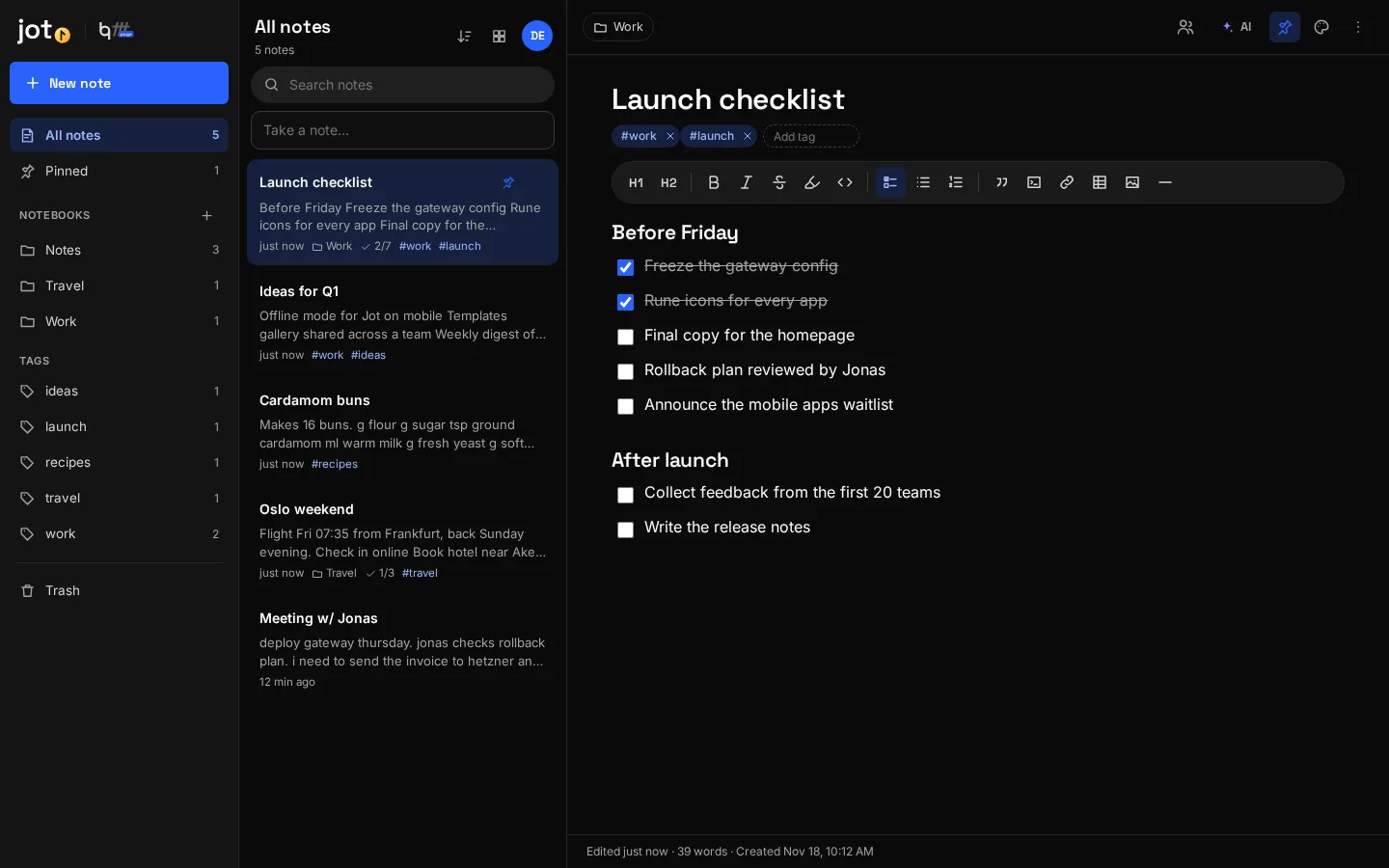
Jot is for everything you want to write down quickly: lists, ideas, meeting notes. Organise them in notebooks and tags. Every note is a plain Markdown file in your storage, so nothing is locked into a format.
Runs in any modern browser and installs as an app. Native apps are on the way: Rust on the desktop for Linux, Windows and macOS, and native mobile apps for iOS and Android.
Features
What Jot does
Tidy up with AI
Turn a messy note into a clean one, pull out to-dos as a checklist, summarize, or get a title and tags.
Shared notes
Share single notes or whole notebooks, read-only or editable.
Notebooks
Group notes in notebooks. Rename or remove a notebook, and move notes between them.
Tags
Tag notes as you go and filter by tag from the sidebar.
Pins and colors
Pin important notes to the top and color-code them.
Checklists
Task lists with progress shown right in the note list.
Plain Markdown
Notes are .md files with a small header for tags and color. Open them anywhere.
Instant search
Search titles, text and tags across every notebook.
Trash
Deleted notes wait in the trash until you restore them or empty it.
Version history
Go back to an earlier version of any note.
Two ways to use it
In the browser today. On desktop and mobile soon.
Both work with the same account and the same files, so you can switch between them at any time.
Web app
Open Jot in Firefox, Chrome, Safari or Edge. Use “Install app” in your browser to give it its own window and icon.
Open JotDesktop app Coming soon
A native app built in Rust: it starts instantly, uses little memory and connects straight to this server.
Mobile app Coming soon
Native apps for iOS and Android, optimized for speed and battery, with your files available offline.
At a glance
Details
- Category
- Notes
- Opens
- Markdown (.md)
- Saves as
- Markdown files in your storage
- Works offline
- Installs as an app from the browser
- Account
- Your bqfff account. Sign in with a passkey or an email code
- Where your data lives
- On this server, in your private storage. No third-party cloud
Also on bqfff.page
Works with the other apps
 Documents
Prose
Documents that look like paper and save like the cloud.
Learn more Spreadsheets
Tally
Spreadsheets with the formulas you already know.
Learn more Files
Vault
Every file you own, on hardware you own.
Learn more Git
Trunk
Your own Git server, with a client built in.
Learn more Mail
Post
Every mail account in one inbox, and nobody tracking you.
Learn more AI chat
Bro
Your own AI, with your files, the web and a computer to run code.
Learn more